Power BI: how to create dashboards that drive real-time decisions
Equipo Tecnea
Tecnea
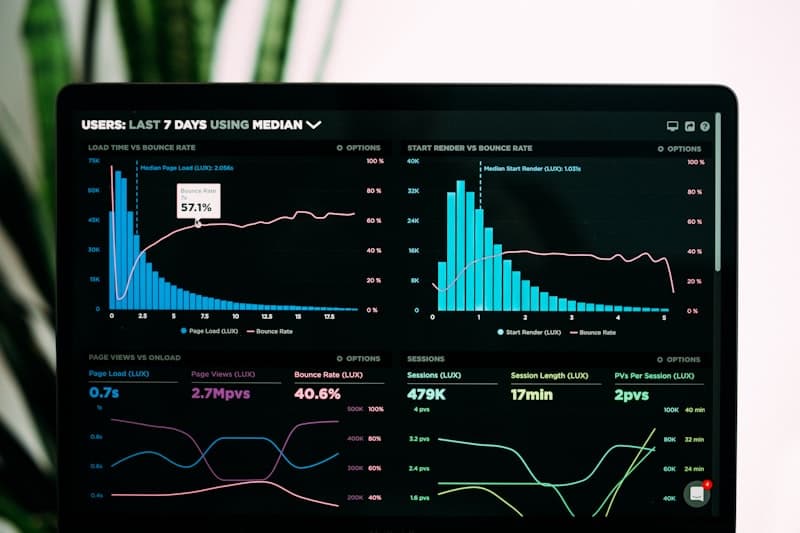
The problem of dashboards nobody looks at
Many companies invest in Business Intelligence tools only to end up with reports that nobody consults. The problem usually isn't the tool, but the approach.
A good dashboard isn't the one with the most beautiful charts. It's the one that provokes action.

Why Power BI for companies using Microsoft
If your company already works with Microsoft 365, Azure, Dynamics, or any product in the Microsoft ecosystem, Power BI is the natural choice:
- Native integration: Direct connection with Excel, SharePoint, Teams, Dynamics 365
- Unified security: The same roles and permissions you already have configured
- Included licensing: Power BI Pro comes included in Microsoft 365 E5
- Familiar ecosystem: Interface similar to other Microsoft tools
The 5 principles of dashboards that work
1. One Dashboard, One Question Don't try to answer everything in a single panel. Each dashboard should answer a specific business question:
- How are sales this month vs. target?
- Where are the bottlenecks in production?
- Which customers are at risk of churning?

2. Actionable Metrics Each metric must have a "so what." If a KPI is red:
- Who should act?
- What action should they take?
- Do they have the information they need to act?
3. Context, Not Just Data A number alone says nothing. Always include:
- Comparison with previous period
- Trend (improving or worsening?)
- Target or benchmark
4. Appropriate Refresh Rate
- Real-time: Only if decisions are immediate (operations center)
- Daily: For most operations
- Weekly/monthly: For strategic analysis
5. Mobile-First Executives check dashboards from their phones. Design for small screens first.

Power BI features that make a difference
Automatic Alerts Set up alerts that notify via email or Teams when a KPI crosses a threshold. The dashboard comes to you, not the other way around.
Natural Language Q&A Users can ask "what were the sales in Madrid last month?" and get a chart without knowing anything about DAX.
Teams Integration Embed dashboards directly in Teams channels. The team sees them without leaving their workflow.
Row-Level Security Each user sees only the data that corresponds to them. A sales rep sees their zone, a director sees all.
Common mistakes to avoid
- Too many KPIs: If you have more than 7-10 metrics on a dashboard, nobody looks at all of them
- Inappropriate charts: A pie chart to compare temporal trends is confusing
- No drill-down: Users should be able to go deeper when something catches their attention
- Outdated data: Nothing kills trust more than two-week-old data
Our Approach at Tecnea
We don't just implement Power BI. We work with you to:
- Understand the decisions you need to make: What business questions are critical?
- Identify data sources: Where is the data? In what format?
- Design the data model: The foundation of a good dashboard is an optimized model
- Create purposeful visualizations: Each chart has a reason for being
- Train users: So they can explore and ask questions
Business Intelligence isn't installing a tool. It's changing the way your organization makes decisions.
This article is informational. Tecnea is a Microsoft ISV partner and implements Power BI solutions for its clients; it has a commercial interest in this technology, which we state as clearly as possible in the text.
Did you find this article useful?
We publish analysis on AI and technology for businesses. No spam: only when we write something worth reading.
You can unsubscribe from any email. Privacy policy
Did you like this article?
Tell us what you'd like to automate in your company and we'll tell you, with no strings attached, where to start.


