AI in expense management: what it actually does and how to tell it from OCR
Equipo Tecnea
Tecnea
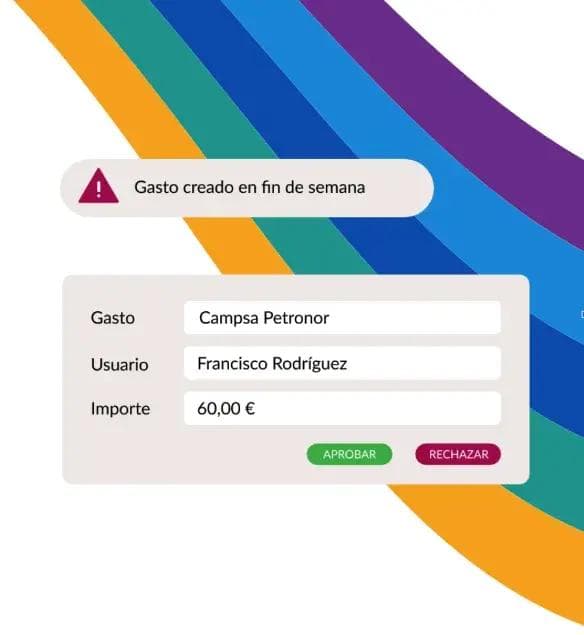
If you are comparing expense management tools in 2026, you will have noticed that every one of them advertises artificial intelligence. The word has stopped being useful for making a decision: it means such different things depending on who uses it that, on its own, it no longer tells anyone apart.
There is a line that does tell them apart, and it is not the one people usually look at.
Transcribing is not judging
OCR extracts the text from a receipt: amount, date, supplier. It is a transcription, and it has worked reasonably well for decades. A tool reading the receipt faster or with fewer errors is good, but it is an improvement in degree, not a change in nature: you still have a person checking whether that expense makes sense.
What changes things is the system interpreting the expense in context: looking at the full receipt image and checking whether it is authentic, whether the line items match the category, whether that supplier is plausible, whether it fits that person's spending pattern. At that point reading is not enough: the system has to assess. And it is what allows the system to flag something a hurried human eye would miss.
So the useful question for a supplier is not "do you have AI?" but "what does your system decide on its own, and what does it leave to me?".
The two moments where it actually changes something
In an expense process there are only two moments where an AI layer can save you real work:
Before the employee submits the report. Here the goal is avoiding the back and forth: flagging at that moment that the receipt is missing, that it is incomplete, that it is unclear what the expense was for, or that something personal has slipped in among the company expenses. Every warning at this point is a report that does not come back rejected three days later, when the employee no longer remembers.
After submission, during review. This is where you look for what a human cannot review at scale: manipulated or outright fake invoices, duplicate expenses submitted twice, unusual amounts for that category, expenses outside working hours, or suppliers of doubtful legitimacy. The goal is not for the machine to approve: it is for the auditor to look at ten reports for a reason instead of two hundred out of routine.
If a tool only acts at one of the two moments, you know exactly which part of the work you are keeping.
What errors and fraud in expenses cost today
Two figures to put it in perspective. According to the GBTA, completing an expense report by hand takes around 20 minutes on average and one in five contains errors or incomplete information, which forces a redo. That is the silent cost of the first moment.
For the second, Emburse cites that organisations lose around 5% of their revenue to fraud every year and that roughly 11% of fraud cases are linked to expense reimbursement. The risk grows with the number of people submitting expenses, whatever the size of the company.
How to test it in a demo, without trusting the brochure
This is the practical part, and it is simpler than it sounds. Ask for a demo with your own receipts, not the vendor's samples. Prepare a batch of ten or twenty real expenses and deliberately include:
- a duplicate receipt, submitted twice in a slightly different format;
- an expense clearly outside your policy (an amount above the limit, a category that is not allowed);
- an incomplete or illegible receipt;
- a restaurant receipt with alcohol on it, a disproportionate tip, or charged to more diners than the bill could possibly feed;
- the card terminal slip instead of the actual receipt;
- a personal expense slipped in among the business ones: the hotel minibar, a cinema ticket, a souvenir;
- if you can, a receipt in another language.
Then count how many the system catches without you telling it anything and, above all, how many it catches before the report reaches approval. That number is the real answer to "does it have AI?". Everything else is marketing, ours included.
A word about sources, while we are at it: much of what is published about any expense tool's AI capabilities comes from the tool itself. Us included. That is why testing with real data is not an optional step in the buying process: it is the only one that cannot be dressed up.
What AI will not fix for you
Two things, worth knowing before you sign:
A badly defined expense policy. If your real policy lives in the finance manager's head rather than in a document, the AI has nothing to validate against. It will generate warnings nobody knows whether to trust, and the team will learn to ignore them, which is the worst possible way to have a control system.
Your accounting. An expense being approved with AI does not mean it enters your ERP by itself. That part is integration, not intelligence, and it is where many companies discover they are still typing by hand right after automating the previous step. If your ERP has no standard connector with the tool you choose, ask from the start who is going to build that integration and at what cost.
If you are specifically looking at Captio, we have written separately about what its artificial intelligence layer does (the nine AI alerts in Emburse Assurance, from tampered receipts to alcohol on meal expenses, and the fifteen rule-based controls that go with them), how it differs from its OCR and what it takes to get it running with your policy and your ERP: Captio with artificial intelligence: what it does and who implements it (in Spanish).
Sources: Emburse Assurance (how it works and the fraud figures cited); the Emburse Assurance infographic on alerts powered by Emburse AI (Emburse, June 2026), source of the alcohol, tip, diners, card-slip and personal-expense tests; GBTA (average time and error rate of manual reports).
This article is informational. Tecnea is an implementation partner for Captio and has a commercial interest in that solution; we say so up front. The criteria and the test we propose work for evaluating any tool on the market, and they are written so that you can apply them to us as well.
Did you find this article useful?
We publish analysis on AI and technology for businesses. No spam: only when we write something worth reading.
You can unsubscribe from any email. Privacy policy
Did you like this article?
Tell us what you'd like to automate in your company and we'll tell you, with no strings attached, where to start.


